“In the age of AI, there are still craftspeople who insist on doing things by hand.”
Using FreeBSD in 2026 may be the right description for that feeling. I first ran into the BSD family when I was just getting started with Linux. After all, they all trace back to Unix. Over the years, I kept glancing back at it now and then, like the toy in the most eye-catching spot in the middle of town when you were a kid: always thinking about it, but never allowed to buy it. I would download an image, look at the commands, look at the interface, and then stop there. I could never answer one practical question: what problem would it solve for me? If I could already get the job done with NixOS, or some other Linux system, why would I spend time adapting to a whole new one? Of course, curiosity alone can be enough as an interest. But what actually makes things happen is usually not interest. It is a problem. This year, I finally ran into one. It was not dramatic, but it was stubborn enough that I finally thought: maybe this is a job for BSD.
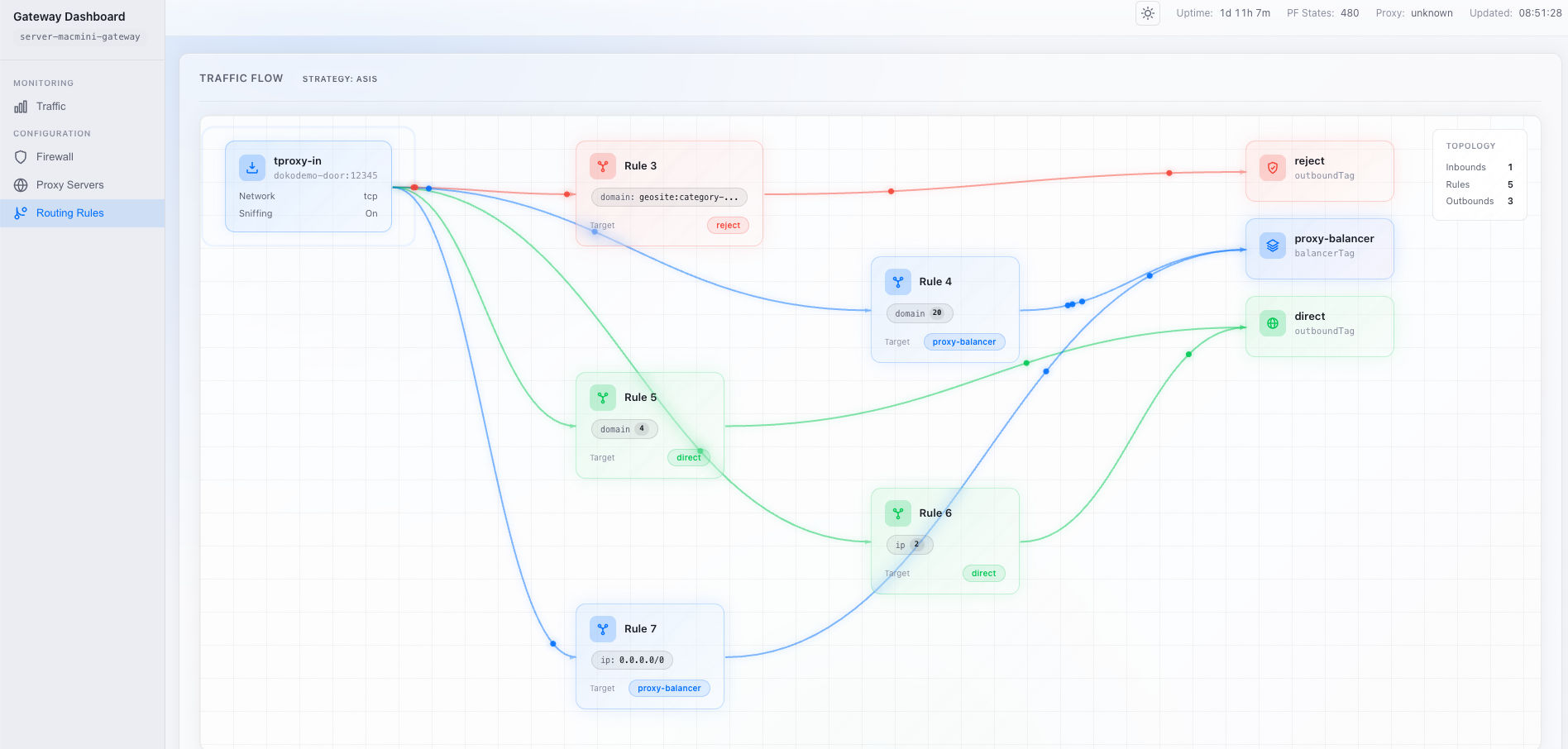
A few years ago, I mentioned in another post that I had built a home router with NixOS. It handled VLAN management, IP allocation, firewall policy, traffic shaping, and a long list of other tasks. As the core router, it worked hard for three years and was stable and reliable. It never really let me down. But I actually wanted more from it. I wanted it to be not just a router, but a transparent proxy gateway as well. In other words, it should split traffic from every device in the house according to geo or domain-list rules and send it through different outbound tunnels automatically.
Since this was Linux, the main thing I tried was TPROXY for traffic marking and redirection. I spent a lot of time trying to understand the various iptables paths, and I tweaked nftables rules over and over again. But unfortunately, I never got TPROXY to work stably the way I wanted. Sometimes DNS hijacking broke. Sometimes traffic from certain applications behaved incorrectly. The most frustrating part was that it did not fail completely. It was always just a little short of working, which is somehow worse than a clean failure. You always think another two hours will fix it, and yet after one attempt after another, the problem, usually a new one, is still there. After repeatedly tuning firewall rules, I became more and more irritated and eventually gave up. I settled for something much less ambitious: opening an HTTP proxy port and letting clients decide for themselves whether to use it.
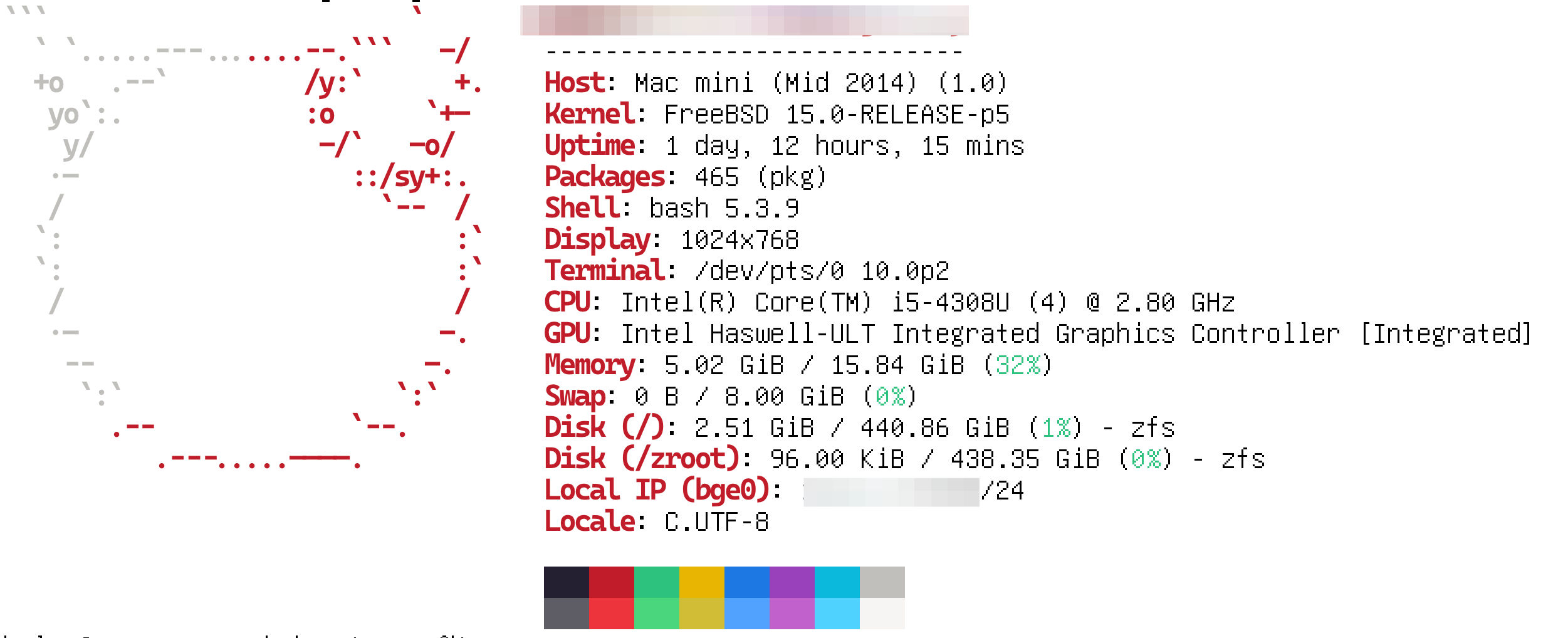
Later I got hold of a Mac mini. It was a 2014 model with specs old enough to feel almost antique, and the original 2.5-inch spinning disk was painfully slow. I swapped in a 512 GB SSD and upgraded the memory to 16 GB. After all that tinkering, it could just barely run macOS, but it was still far from suitable for daily work. So I decided to let it try the role that NixOS had never quite managed to fill: traffic gateway.
I had heard about Surge a long time ago, and I still think it is one of the best products of its kind on macOS. Buy a license, click through a few screens, and it starts working. Fake DNS, traffic marking, forward/input chains, all the details that had given me endless headaches on Linux were handled neatly here. It just quietly took over the traffic and did its job. For most people’s home traffic-splitting needs, I think Surge could easily be the end of the story.
My network has several VLANs: a main VLAN for servers and homelab gear, a go VLAN for everyday laptops and phones, and an iot VLAN for smart devices. There are clear access boundaries between them, and some devices even live in more than one segment. In an environment like this, a proxy gateway is not an isolated appliance. It has to obey the logic of the whole network design. This is exactly where Surge started to rub against my existing architecture. It took over all the traffic in the go VLAN, including responsibilities like DHCP. The default behavior was certainly convenient, but once I wanted it to cooperate more precisely with the rest of the network, for example handling cross-VLAN access, things stopped feeling intuitive. It was not that Surge could not work. It was that it behaved more like a well-packaged all-in-one standalone product than a network component I could fully control.
So what I wanted was a transparent gateway that could work independently and still fit perfectly into my existing network. I could not get there with Linux, and I could not get there with Surge either. So why not let BSD take a shot at it?
I did not spend much time agonizing over which BSD to pick. I quickly settled on FreeBSD, which seemed to have the more active community, and installed it on the old Mac mini. Conceptually, using it as a traffic gateway is not all that different from Linux: the firewall catches and redirects traffic first, then passes it to a routing service, which sends requests to different exits based on domain or IP policy. The real difference is the firewall and network configuration model. FreeBSD uses pf, and this is where the whole thing finally started to feel natural again. The rules in pf are simple and intuitive. What I mean is that what you write is more or less what the system does. Instead of staring at a pile of complex rules and trying to reason out which link in the chain had gone wrong, I finally got back that familiar engineering instinct: the configuration file no longer felt like a ritual of trial and error, but more like a plain, direct specification.
In the setup below, there are really only three rules: NAT, DNS redirect, and TCP redirect. This is not a simplified example. These are, in fact, all of my pf rules:
# PF firewall rules for transparent proxy gateway
# Transparent proxy for VPN VLAN (10.10.40.0/24)
#
# Traffic flow:
#   DNS:  VPN VLAN clients -> PF rdr :53 -> AdGuard Home (filtering + rewrites)
#         -> Xray DNS :15353 (split domains) -> internet
#   TCP:  VPN VLAN clients -> PF rdr -> Xray tproxy (127.0.0.1)
#         -> Xray outbound via ext_if (default route) -> internet

# Interfaces
ext_if = "{{ vpn_interface }}"
int_if = "{{ vpn_interface }}"

# Xray ports
xray_port = "{{ xray_tproxy_port }}"
dns_port = "{{ xray_dns_port }}"

# AdGuard Home DNS port
adguard_dns_port = "{{ adguard_dns_port }}"

# --- NAT ---
# Masquerade outbound traffic from VPN VLAN (for direct connections via Xray)
# Exclude same-subnet destinations so DNS replies to local clients keep source port 53 on single-NIC hosts.
nat on $ext_if from {{ vpn_network }}/24 to !{{ vpn_network }}/24 -> ($ext_if)

# --- Redirects ---
# DNS: redirect all DNS from VPN VLAN clients to AdGuard Home (ad filtering + local records).
rdr on $int_if proto { udp, tcp } from {{ vpn_network }}/24 to any port 53 -> 127.0.0.1 port $adguard_dns_port

# TCP: redirect all TCP from VPN VLAN clients to Xray transparent proxy
# Skip traffic destined to the gateway itself (avoid redirect of local management)
rdr on $int_if proto tcp from {{ vpn_network }}/24 to !{{ vpn_ip }} -> 127.0.0.1 port $xray_port

# Pass everything else (traffic filtering is handled by Xray routing rules)
pass all
Things became quiet almost immediately. There were no extra packet marks and no need to reason back and forth across different chains. It just started working the way I expected.
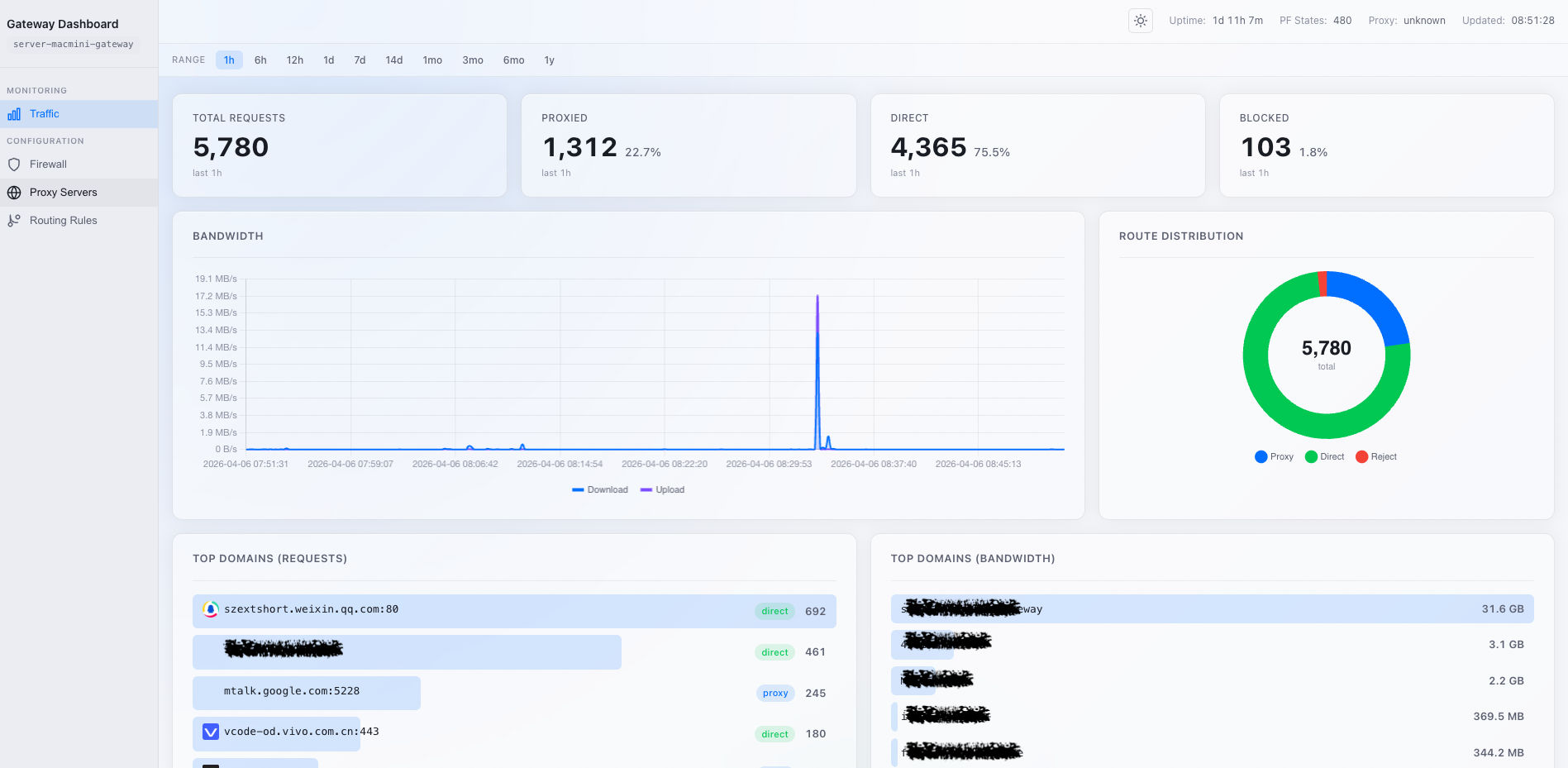
For infrastructure, quiet is high praise. It means I could finally move my attention from troubleshooting back to building. On top of this box I went on to deploy ntopng for traffic monitoring and built a new dashboard to look at metrics. With AI helping along the way, all of that supporting work moved quickly, because the underlying system had finally stopped generating noise.
Every home network is different, so I am not going to dump every last detail of the configuration here. But if you are like me and have always wanted to try BSD without quite having a good enough reason, then here is my answer: BSD can give you a kind of plain confidence.